Convert XML to JSON: The Complete Guide with Examples (2026)
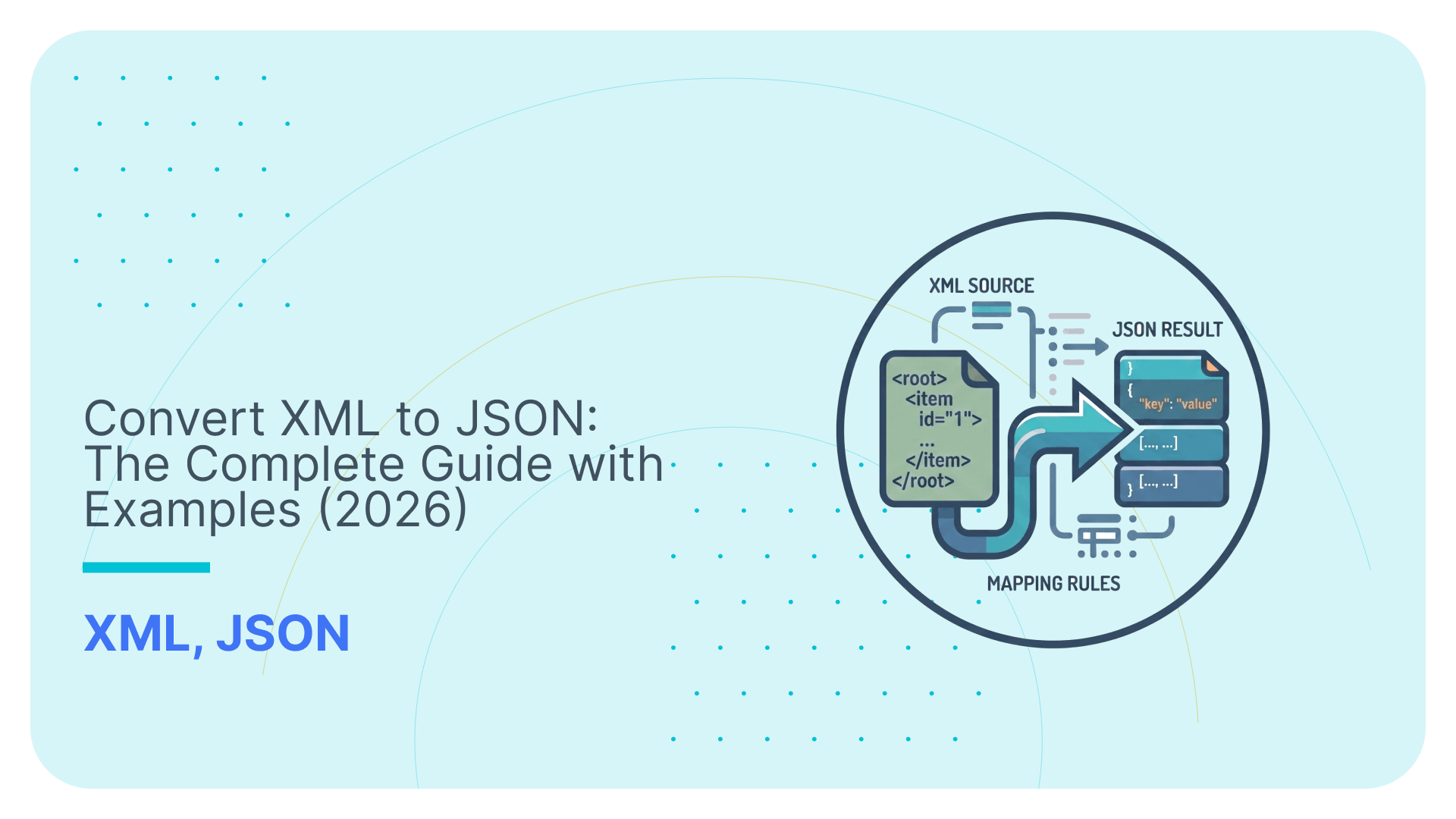

XML to JSON conversion is the process of transforming an XML document’s hierarchical tag-based structure into JSON’s key-value pair format.
It looks like the kind of task that should take five minutes.
Load your XML file into the converter. Get JSON output. Move on with your life.
Cute idea.
The problem is that XML and JSON do not represent data in the same way:
- XML has elements, attributes, namespaces, schemas, repeated groups, and all sorts of historical baggage.
- JSON has objects and arrays, and acts like that should be enough.
So yes, you can convert XML to JSON.
But if you care about the meaning of the actual data, you need to know what survives the conversion.
In this guide, I’ll show you how to convert XML to JSON using online tools, Python, JavaScript, Java, and command-line tools.
I’ll also show the common gotchas, how to check the output, and when to skip JSON entirely and load XML directly into database tables instead.
Quick Summary:
- What is XML to JSON conversion? Converting an XML document into JSON format by mapping XML elements to JSON key-value pairs and arrays.
- Who needs it? Developers, data engineers, and ETL pipeline builders who receive XML data but need JSON for APIs, NoSQL stores, or modern web apps.
- Don’t ignore XSD and JSON Schema; using them will help you validate that the conversion went well.
- Fastest method: Online converter tools for one-off conversions. Python xmltodict or JavaScript xml2js for programmatic use.
- Main gotchas: XML attributes become awkward @-prefixed keys; XML elements with the same name become arrays (or get lost); namespaces break simple parsers.
- When to skip JSON entirely: If your end goal is a database or data warehouse, use Flexter to convert XML directly to SQL tables; no JSON step needed.
Use Flexter to turn XML and JSON into Valuable Insights
- 100% Automation
- 0% Coding
What is XML to JSON Conversion?
XML to JSON conversion is the process of transforming an XML document’s hierarchical element-and-attribute structure into JSON’s key-value pairs and array format.
That sounds simple.
It is not always simple.
Both XML and JSON can represent hierarchical, semi-structured data. The difference is how they express that hierarchy.
XML uses nested elements, attributes, namespaces, ordered structure, and often an XSD schema that defines what valid data looks like.
JSON uses nested objects and arrays.
It can also be validated with JSON Schema, but many JSON payloads move around without a formal schema.
So when you convert XML to JSON, you aren’t turning hierarchical data into flat data.
You are translating one hierarchy into another, while deciding how much XML-specific structure survives the trip.
Pro tip
If your XML is already stored, queried, or managed inside a database environment, see our XML Databases guide for the broader storage and querying context.
Here’s the basic idea:

In this simple example, XML elements become JSON keys, XML attributes become JSON properties, and the text inside elements becomes JSON values.
The root XML element <customer status=”active”> becomes the top-level JSON key “customer”. The XML attribute status=”active” becomes “@status”: “active”.
Each child element becomes a property inside that object: <id> becomes “id”, <name> becomes “name”, and <country> becomes “country”.
The text inside each child element becomes the JSON value, so 123, Alice, and UK are carried across as string values.
So far, so pleasant. A rare moment of peace in data engineering.
But real projects do not usually start with cute sample files like the one in my example above.
If you work in a schema-heavy industry, you often inherit XML that is already full of conversion traps:
- XSD-backed messages with required attributes and typed values,
- regulatory feeds, insurance files, payment documents, and healthcare payloads with namespaces such as xsi:type,
- repeated groups such as policies, claims, payments, products, or line items,
- mixed content where text and child elements appear inside the same tag,
- optional branches, empty elements, and schema-version differences.
These details matter because XML to JSON conversion is not lossless by default.
Before choosing a converter, you need to decide how attributes, namespaces, repeated elements, mixed content, and empty values should appear in the JSON output.
In other words, the fun part starts before the conversion even begins.
The reason developers and data engineers convert XML to JSON is usually practical.
APIs expect JSON. REST endpoints return JSON. JavaScript applications consume JSON naturally.
NoSQL databases such as MongoDB store JSON-like documents natively.
Modern ETL and data pipeline tools also tend to work more comfortably with JSON than with deeply nested XML.
Pro tip
XML to JSON conversion is useful, but it is not lossless by default.
XML has features that JSON does not understand natively: attributes, namespaces, mixed content, comments, processing instructions, and element order.
So converters invent mapping conventions.
That is why you see things like @id for attributes, #text for mixed content, and namespace-heavy keys that look like they were designed during a committee hostage situation.
Always check the output against the original XML before trusting it.
XML vs JSON: Key Structural Differences
The key structural difference between XML and JSON is that XML is a tag-based markup language that supports attributes and namespaces, while JSON is an object notation that uses key-value pairs and arrays.
That difference sounds academic until you actually convert XML to JSON and discover that the formats do not line up neatly.
Because, naturally, two formats designed to represent structured data could not simply agree on how structure works. That would be far too helpful.
Here’s the practical comparison:
XML | JSON | |
|---|---|---|
Structure | Uses nested tags and elements, for example <customer><name>Alice</name></customer>. | Uses objects and arrays, for example { “customer”: { “name”: “Alice” } }. |
Data types | Stores values as text by default. Datatypes come from a schema such as XSD. | Supports strings, numbers, booleans, null, objects, and arrays directly. |
Attributes | Supports attributes inside elements, for example, <customer id=”123″>. | Has no native attribute concept. Attributes must be converted into normal keys. |
Namespaces | Supports namespaces to separate vocabularies and avoid naming conflicts. | Has no native namespace support. Namespace information becomes part of the key name or gets stripped. |
Schema validation | Uses XSD, DTD, or Relax NG to define allowed structure and values. | Uses JSON Schema to define object structure, required fields, and value types. |
File size | More verbose for equivalent simple data because every element needs opening and closing tags. | More compact for equivalent simple data because objects and arrays use less markup. |
Human readability | Readable, but verbose when documents get deeply nested. | Readable and compact, especially for API payloads and application data. |
Parser availability | Has mature parser support through DOM, SAX, StAX, XPath, XQuery, and language-specific XML libraries. | Has broad parser support across modern programming languages, APIs, browsers, and data tools. |
Conversion is not just syntax swapping.
XML features need explicit mapping rules, as the ones I gave you in the table.
These differences are also the reason XML to JSON conversion creates edge cases.
For example, an XML element maps cleanly to a JSON key when the XML is simple:
|
1 |
<name>Alice</name> |
Becomes:
|
1 |
"name": "Alice" |
That part is easy.
The trouble starts when XML uses features that JSON does not have.
An XML attribute such as:
|
1 |
<customer id="123"> |
has to become something like:
|
1 |
"customer": { "@id": "123" } |
That @id convention is not part of JSON itself. It is a converter decision.
Another converter can use a different convention, because apparently one standard was not enough entertainment.
Repeated XML elements create another problem.
This XML:
|
1 |
<phone>123</phone><phone>456</phone> |
needs to become a JSON array:
|
1 |
"phone": ["123", "456"] |
If the converter does not detect repetition correctly, it can collapse one value, overwrite another, or change the output shape between files.
That is where “valid JSON” becomes a very low bar. The output can be syntactically correct and still wrong for your data.
Namespaces add another layer of joy.
XML names such as xsi:type or namespace-qualified elements can become awkward JSON keys unless the converter has clear namespace-handling rules.
Pro tip
JSON to XML conversion is also possible.
A JSON to XML converter does the reverse mapping: JSON keys become XML elements, JSON arrays become repeated XML elements, and JSON values become element text.
But the reverse path has the same structural problem.
So the main point is simple: XML and JSON both describe structured data, but they do so in different ways.
Converting between them works when you define clear mapping rules.
Pretending the conversion is just a format switch is how small scripts grow into mysterious production problems with their own folklore.
For a broader format comparison, including CSV, see my XML vs JSON differences guide.
How XSD and JSON Schema Help Validate XML to JSON Conversion
XSD and JSON Schema are validation contracts that define what valid XML and valid JSON are supposed to look like.
An XSD defines the XML side of the world: allowed elements, attributes, datatypes, required fields, optional branches, repeating groups, namespaces, and element order.
JSON Schema defines the JSON side: objects, properties, arrays, required fields, datatypes, allowed values, and validation rules.
That matters because XML to JSON conversion should ideally have two separate checks:
- First, you validate the source XML against the XSD. This tells you whether the XML document follows the expected structure before you convert it. If the XML is invalid at this point, converting it to JSON just gives you invalid source data in a new outfit. Very stylish. Still wrong.
- Second, you validate the converted JSON against the expected JSON Schema, if one exists. This tells you whether the output has the correct object structure, required keys, arrays, and data types for the target application, API, or document store.
This is where teams often get fooled.
A converter can produce syntactically valid JSON while still mishandling the original XML meaning.
Attributes can be renamed. Repeated elements can fail to become arrays. Empty elements can disappear. Namespaces can get stripped. Mixed content can turn into awkward #text structures.
So the real validation question is not:
“Did I get JSON?”
The real question is:
“Does this JSON still preserve the structure and rules that mattered in the original XML?”
For quick one-off conversions, you can inspect the output manually.
For production pipelines, validate both sides: XML against XSD before conversion, and JSON against JSON Schema after conversion.
How to Convert XML to JSON: 5 Methods
Converting XML to JSON requires mapping XML elements to JSON keys, XML element content to JSON values, XML attributes to JSON properties, and repeated XML elements to JSON arrays.
That is the theory.
In practice, the right approach depends on your XML, your target system, and how often you need to do it.
For a one-off file, use an online converter. For repeatable work, use code. Python is the fastest option for data engineers. JavaScript fits web and Node.js projects. Java works well in enterprise stacks. Command-line tools are ideal for scripts and pipelines.
Here’s the quick comparison before we get into the examples:
Method | Language | Library/Tool | Best for | Lines of code |
|---|---|---|---|---|
Browser | jsonformatter.org | One-off conversions and quick inspection | 0 | |
Python | xmltodict, xml.etree.ElementTree | Data engineering scripts and ETL workflows | 3-15 | |
JavaScript/Node.js | xml2js | Node.js services and backend workflows | 10-20 | |
Java | org.json | Simple Java conversions and Maven-based examples | 10-20 | |
Shell/CLI | xq, jq | Quick inspection, scripts, and pipeline glue | 1-5 |
The key is to choose the method based on the job, not based on which tool happens to appear first in Google or ChatGPT.
Humanity has suffered enough from such workflows.
Let’s examine your options, one by one.
Pro tip
If your final destination is a relational database or data warehouse, converting XML to JSON first is usually overhead.
The path should not be:
-
- XML → JSON → parsing → tables
It should be:
-
- XML → tables
That is where Flexter fits: It converts complex XML directly into relational tables with automatic schema generation, so you do not have to create a JSON middle layer just to flatten it again later.
Online Converters for XML to JSON
Online XML to JSON converters are browser-based tools that turn pasted XML into JSON without writing code.
They are the fastest option when you have a small XML sample and just want to inspect the structure.
No setup. No library. No “why is my local environment broken again?” ceremony.
For example, jsonformatter.org provides a simple XML to JSON converter interface. You paste your XML into the input panel, and the converted JSON appears in the output panel.
Important note
To reproduce any of my examples in this blog post, you may use my Simple XML Test Case (download link).

Once the XML is loaded, the tool shows the input XML on the left and the converted JSON on the right.

This works well for quick checks, documentation examples, and one-off conversions where the XML is not sensitive.
But do not upload confidential XML to online converters.
That includes customer data, financial XML, insurance XML, healthcare payloads, credentials, API keys, internal exports, and regulated files.
If the XML is part of a production system, a client, or a compliance workflow, use a local script or enterprise tooling instead.
The main gotcha: online converters hide the mapping rules. They produce JSON, but they do not always make it obvious how attributes, repeated elements, namespaces, or mixed content were handled.
So use online converters for speed.
Do not use them as your production conversion strategy.
Pro tip
If your target format is CSV rather than JSON, use our Free Online XML to CSV converter as your companion tool.
Python tools for XML to JSON conversion
Python XML to JSON conversion is the process of parsing XML into a Python dictionary and serialising that dictionary as JSON.
This is usually the fastest route for data engineers because Python has solid XML parsers, clean JSON support, and enough libraries to avoid accidentally writing a tiny XML engine.
Which is nice, because nobody wakes up wanting to rebuild parsing logic before lunch.
For this example, I’ll use the Simple XML Test Case from earlier in the post. It contains a company hierarchy:
|
1 |
Company → Department → Team → Project → Task → Subtask |
The values are stored as XML attributes, for example:
|
1 |
<Company name="Tech Solutions Inc."> |
That matters because attributes do not exist natively in JSON.
Most Python converters represent them as @-prefixed keys, so name="Tech Solutions Inc." becomes:
|
1 |
"@name": "Tech Solutions Inc." |
Option 1: Convert XML to JSON with xmltodict
xmltodict is the quickest Python library for converting XML into a dictionary structure that can be written as JSON.
Install it first:
|
1 |
pip install xmltodict |
Then run:
|
1 2 3 4 5 6 7 8 9 10 11 12 13 14 15 |
import json import xmltodict with open("simplexmltocsv.xml", "r", encoding="utf-8") as file: xml_data = file.read() data = xmltodict.parse( xml_data, force_list=("Team", "Project", "Task", "Subtask") ) with open("company.json", "w", encoding="utf-8") as file: json.dump(data, file, indent=2) print(json.dumps(data, indent=2)) |
This converts the XML file into nested JSON and writes the result to a file called company.json.
If you actually put this code in a Python file and run it on your local machine, the output will be:

The important bit is force_list. Without it, xmltodict can produce inconsistent JSON shapes:
- If an element appears once, it can become an object.
- If it appears twice, it becomes an array. That is technically logical and practically annoying, the classic data engineering combo meal.
In this XML, Team, Project, Task, and Subtask are repeating business structures, so we force them to always become arrays.
That gives downstream code a stable JSON shape.
Option 2: Convert XML to JSON with ElementTree and json
If you do not want an external dependency, Python’s built-in xml.etree.ElementTree module also works.
The tradeoff is that you need to define the mapping rules yourself.
|
1 2 3 4 5 6 7 8 9 10 11 12 13 14 15 16 17 18 19 20 21 22 23 24 25 26 27 28 29 30 31 32 33 34 35 36 37 38 39 |
import json import xml.etree.ElementTree as ET def xml_element_to_dict(element): result = {} for key, value in element.attrib.items(): result[f"@{key}"] = value children = list(element) for child in children: child_data = xml_element_to_dict(child) if child.tag in result: if not isinstance(result[child.tag], list): result[child.tag] = [result[child.tag]] result[child.tag].append(child_data) else: result[child.tag] = child_data text = (element.text or "").strip() if text: result["#text"] = text return result tree = ET.parse("simplexmltocsv.xml") root = tree.getroot() data = { root.tag: xml_element_to_dict(root) } with open("company-elementtree.json", "w", encoding="utf-8") as file: json.dump(data, file, indent=2) print(json.dumps(data, indent=2)) |
This version gives you more control over the output.
Attributes become @name. Repeated elements become arrays. Text content, if present, becomes #text.
The output should be similar to the one I showed you with the first option. For your convenience, I uploaded it here.
That makes the mapping explicit, which is useful when you need predictable behaviour.
Pro tip
The ElementTree example makes the mapping rules visible: attributes become @ keys, repeated elements become arrays, and text values become JSON values.
That is useful for learning, but it is also the part that gets ugly in real projects.
XML mapping is where you decide how source elements, attributes, hierarchy, data types, and repeating groups map to the target structure.
If you want to go deeper into that problem, read my guide to XML mapping.
The downside is obvious: as your XML gets more complex, your manual converter does too.
XML has a gift for turning “just a quick script” into “why is this branch different in file 947?”
So, what’s the verdict?
It’s simple:
- Use xmltodict when you want a fast, readable conversion.
- Use ElementTree when you need dependency-free code or tighter control over the mapping rules.
For production pipelines, always compare the JSON output against the source XML.
Valid JSON only proves the syntax worked.
It does not prove that attributes, repeated elements, empty values, or hierarchy were converted correctly.
XML to JSON with JavaScript
JavaScript XML to JSON conversion works well when the conversion belongs inside a Node.js service, API workflow, or backend data transformation step.
We’ll use the same Simple XML Test Case as in the Python and Online Converter examples.
You can achieve this conversion with Node.js and xml2js package.
Given that you already have Node.js on your system, install the xml2js package with npm:
|
1 |
npm install xml2js |
Then create a file called convert-with-xml2js.js:
|
1 2 3 4 5 6 7 8 9 10 11 12 13 14 15 16 17 18 19 20 21 22 23 24 25 |
const fs = require("fs"); const { parseStringPromise } = require("xml2js"); async function convertXmlToJson() { const xml = fs.readFileSync("simplexmltocsv.xml", "utf-8"); const result = await parseStringPromise(xml, { explicitArray: true, attrkey: "@", charkey: "#text", trim: true }); fs.writeFileSync( "company-xml2js.json", JSON.stringify(result, null, 2), "utf-8" ); console.log("Created company-xml2js.json"); console.log(JSON.stringify(result, null, 2)); } convertXmlToJson().catch((error) => { console.error("XML to JSON conversion failed:", error.message); process.exit(1); }); |
Run it:
|
1 |
node convert-with-xml2js.js |
This reads simplexmltocsv.xml, converts it into a JavaScript object, and writes the JSON output to company-xml2js.json.
With the settings above, XML attributes are grouped under the @ key. So this XML:
|
1 |
<Company name="Tech Solutions Inc."> |
becomes:
|
1 |
"@": { "name": "Tech Solutions Inc." } |
The output of your script should be similar to the output of the Python output (it may follow a slightly different schema).
The key setting is explicitArray: true.
It keeps repeated XML structures such as Team, Project, Task, and Subtask as arrays.
This gets you out of a lot of trouble.
Without it, xml2js changes the output shape depending on whether an element appears once or more than once. Valid JSON, yes. Stable pipeline input, not necessarily. Naturally.
Use this approach when you want a quick JavaScript conversion in Node.js without writing your own XML traversal logic.
The gotcha is the same one you saw in Python: the conversion can succeed while the structure still needs checking.
Always review how attributes, arrays, and nested elements were represented before trusting the output.
Java-based options for XML to JSON
Java XML to JSON conversion works well when the conversion belongs inside a backend service, batch job, or enterprise integration workflow.
We’ll use the same Simple XML Test Case again to show what a basic Java XML-to-JSON conversion looks like. For schema-heavy or enterprise XML, use more controlled approaches based on Jackson, JAXB, or a custom mapping layer.
For this example, I assume that you have installed a Java JDK and Maven, and that both are available from your terminal.
Once Java and Maven are ready, create this project structure:
|
1 2 3 4 5 6 7 8 9 10 11 12 13 |
java-xml-json/ ├── pom.xml ├── simplexmltocsv.xml └── src/ └── main/ └── java/ └── Main.java |
In the project’s root folder, you may notice that I have already placed the Simple XML Test Case from previous examples.
So the XML file sits next to pom.xml, not inside src/main/java.
Create this pom.xml file:
|
1 2 3 4 5 6 7 8 9 10 11 12 13 14 15 16 17 18 19 20 21 22 23 24 25 26 27 28 29 30 31 |
<project xmlns="https://maven.apache.org/POM/4.0.0" xmlns:xsi="https://www.w3.org/2001/XMLSchema-instance" xsi:schemaLocation="https://maven.apache.org/POM/4.0.0 https://maven.apache.org/xsd/maven-4.0.0.xsd"> <modelVersion>4.0.0</modelVersion> <groupId>io.sonra.examples</groupId> <artifactId>xml-to-json-java</artifactId> <version>1.0.0</version> <properties> <maven.compiler.release>17</maven.compiler.release> <project.build.sourceEncoding>UTF-8</project.build.sourceEncoding> </properties> <dependencies> <dependency> <groupId>org.json</groupId> <artifactId>json</artifactId> <version>20240303</version> </dependency> </dependencies> <build> <plugins> <plugin> <groupId>org.codehaus.mojo</groupId> <artifactId>exec-maven-plugin</artifactId> <version>3.3.0</version> <configuration> <mainClass>Main</mainClass> </configuration> </plugin> </plugins> </build> </project> |
Then create src/main/java/Main.java:
|
1 2 3 4 5 6 7 8 9 10 11 12 13 14 15 16 17 18 19 20 21 |
import org.json.JSONObject; import org.json.XML; import java.nio.file.Files; import java.nio.file.Path; public class Main { public static void main(String[] args) throws Exception { String xml = Files.readString(Path.of("simplexmltocsv.xml")); JSONObject json = XML.toJSONObject(xml); Files.writeString( Path.of("company-java.json"), json.toString(2) ); System.out.println("Created company-java.json"); System.out.println(json.toString(2)); } } |
To compile the project, run this from the java-xml-json folder:
|
1 |
mvn compile |
To compile and run the converter, run:
|
1 |
mvn compile exec:java |
If everything works, Maven creates the output file company-java.json, which is similar to the JSON files in our previous examples.
The nice part is that the Java code is short.
The less nice part is that org.json chooses its own XML to JSON mapping rules.
In this output, XML attributes become regular JSON keys. So this XML:
|
1 |
<Company name="Tech Solutions Inc."> |
becomes a JSON object where name is a normal property under Company.
That is different from some converters that use @name or group attributes under an @ object.
Also, check the array behaviour in the output.
If an XML element appears more than once at the same level, org.json represents it as a JSON array. If it appears only once, it can become a single object instead.
That is valid JSON, but it can be annoying for downstream code because the shape varies with the number of elements.
Use org.json when you want the shortest Java XML to JSON example.
Use Jackson, JAXB, or a custom mapping layer when you need stronger control over schema-heavy XML, especially when arrays, attributes, namespaces, and empty elements must follow strict rules.
Converting XML to JSON with Command Line tools
Command-line XML to JSON conversion works well when the conversion belongs inside a shell script, CI job, batch process, or quick local inspection step.
We’ll use the same Simple XML Test Case again.
For this example, I’ll use xq and jq.
xq is installed through the Python yq package, so yes, this approach still relies on Python behind the scenes.
But you do not need to write any Python code. Small victory. Try not to frighten it away.
Install xq first:
|
1 |
python -m pip install yq |
Then install jq separately.
On Windows, you can install jq with:
|
1 |
winget install jqlang.jq |
Close and reopen your terminal, then check both commands:
|
1 2 |
xq --version jq --version |
If xq –version works but jq –version does not, jq is not installed, or it is not available on your system’s PATH.
To convert the XML file to JSON, run this from the folder that contains simplexmltocsv.xml:
|
1 |
xq . simplexmltocsv.xml > company-command-line.json |
The . filter means “return the full converted document”.
This creates: company-command-line.json
Here’s a link to the output if you’re short on time.
You can also query the converted JSON directly from the command line to inspect specific parts of the data without creating a file.
For example:
|
1 |
xq '.Company.Department.Team' simplexmltocsv.xml |
This step is optional and mainly useful for quick inspection or debugging.
The main gotcha is familiar by now.
Command-line conversion does not magically solve XML mapping. It just makes the conversion fast and scriptable.
Attributes, repeated elements, empty elements, and nested structures still follow the converter’s rules.
So an XML attribute such as:
|
1 |
<Company name="Tech Solutions Inc."> |
can become an attribute-style JSON key such as @name, depending on the converter settings.
Repeated elements can become arrays. Single occurrences can become objects. That means the JSON can be valid yet inconvenient for downstream code.
Use xq and jq when you want fast local conversion, quick inspection, or a lightweight pipeline step.
Do not use command-line conversion as your final production mapping strategy for schema-heavy XML unless you validate the output and normalise the structure afterwards.
XML to JSON Conversion: Common Gotchas and How to Handle Them
XML to JSON conversion produces predictable problems when XML features have no direct JSON equivalent – specifically XML attributes, repeated elements, mixed content, namespaces, and empty elements.
That is the polite version.
The less polite version is this: valid JSON does not prove that the conversion preserved the XML’s meaning.
It only proves that the output has brackets in legal places. Congratulations. The bar is in the basement.
Here are the common gotchas to watch out for before you trust the result.

1 XML attributes need a mapping convention
XML attributes do not have a native JSON equivalent.
So this XML:
|
1 |
<book id="1">Data Engineering</book> |
can become:
|
1 |
{ "book": { "@id": "1", "#text": "Data Engineering" } } |
That @id convention is not universal. Some converters use @id, some group attributes under an @ object, and some convert attributes into normal keys.
How to handle it: choose one convention and stick to it across the pipeline. Then check that attributes have not disappeared, especially IDs, codes, dates, currencies, and source-system references.
2 Repeated elements need to become arrays
Repeated XML elements should usually be converted to JSON arrays.
This XML:
|
1 2 |
<phone>123</phone> <phone>456</phone> |
should become:
|
1 |
{ "phone": ["123", "456"] } |
The problem is cardinality. Some converters return an object when an element appears once and an array when it appears multiple times.
That is valid JSON, but it gives downstream code two shapes to handle. Naturally, the bug will appear only after production data arrives.
How to handle it: force known repeating elements into arrays where your library allows it.
In Python, that means settings such as force_list. In JavaScript, that means settings such as explicitArray.
3 Namespaces can turn into ugly JSON keys
So namespace-qualified XML can produce JSON keys that look like this:
|
1 2 3 |
{ "xsi:type": "CustomerType" } |
or worse, long URI-heavy names that nobody wants to query at 2 a.m.
How to handle it: decide whether namespaces should be preserved, stripped, or mapped into cleaner names.
Do not let the converter decide silently, unless you enjoy archaeological debugging.
4 Mixed content creates awkward #text structures
Mixed content means an XML element contains both text and child elements.
For example:
|
1 |
<p>Hello <b>world</b></p> |
JSON has no clean native equivalent for “text, then child element, then maybe more text”.
Converters usually invent a structure such as:
|
1 2 3 4 5 |
{ "p": { "#text": "Hello", "b": "world" } } |
That works for storage, but it can be clumsy for APIs, analytics, and database loading.
How to handle it: check whether mixed-content issues matter for your use case. If it does, preserve #text carefully.
If it does not, define a rule to extract plain text or drop formatting elements.
5 Empty elements and deep nesting can still break the target shape
XML can express empty elements like this:
|
1 |
<middleName/> |
One converter can turn that into an empty string. Another can turn it into null. Another can turn it into an empty object.
Deep nesting creates another problem. The JSON output can preserve the hierarchy perfectly and still be painful to query, flatten, or load into tables.
How to handle it: define rules for empty values before conversion.
Decide whether empty XML elements become null, empty strings, or missing fields.
For deeply nested XML, check whether JSON is actually the target you want, or just a temporary stop on the way to a database.
6 XML to JSON validation checklist
Before you trust the converted JSON, compare it against the source XML.
Check that:
- important attributes are present,
- repeated elements are arrays,
- single and repeated elements do not change shape unpredictably,
- namespaces are preserved or removed intentionally,
- mixed content is not silently lost,
- empty elements follow your expected null or empty-string rule,
- nested parent-child relationships still make sense,
- the JSON validates against the expected JSON Schema, if one exists.
For production pipelines, also validate the source XML against its XSD before conversion.
That gives you two checks: the XML is valid before conversion, and the JSON structure is valid after conversion.
If your goal is to get XML into a relational database or data warehouse rather than JSON, there is a more direct path. See the section below.
When Should You Convert XML to JSON?
Converting XML to JSON makes sense when your target system is an API endpoint, a NoSQL document store, or a JavaScript application that natively consumes JSON.
That is the real decision point.
Not “Can I convert XML to JSON?”
You can. We have just spent several sections proving that in multiple languages, because apparently one way to suffer was not enough.
The better question is:
“Is JSON actually the format I need next?”
Convert XML to JSON when one of these is true:
Case 1: You need to send the data to a REST API
Many APIs accept JSON as their request format. If your source data arrives as XML but the receiving endpoint expects JSON, conversion is the practical bridge.
Case 2: You are loading the data into a document store
JSON works well for systems such as MongoDB and Elasticsearch, where nested objects and arrays map naturally to document-style storage.
Case 3: You are feeding a JavaScript application
JavaScript applications consume JSON naturally. If the XML data needs to appear in a web app, dashboard, or front-end workflow, converting it to JSON makes the data easier to handle.
Case 4: You need an intermediate format in a pipeline
JSON can be useful as a temporary exchange format between services, scripts, queues, or transformation steps. It is readable, widely supported, and easy to move between systems.
So yes, XML to JSON conversion is useful.
But it is useful when JSON is part of the destination.
If the XML starts in one system and needs to land in another JSON-friendly system, convert it.
If the XML starts in one system and needs to land in a relational database or data warehouse, stop and think before adding JSON in the middle.
That extra step can create more parsing, more validation, more flattening, and more places for the data to quietly become wrong.
For Snowflake-specific XML loading, see my Snowflake XML parsing guide.
The short version: convert XML to JSON when the next system speaks JSON.
Do not convert XML to JSON just because JSON feels more modern. That is not architecture. That is interior decorating with brackets.
When to Skip JSON Entirely: Converting XML Directly to a Database
When your end goal is a relational database or data warehouse, converting XML to JSON first adds an unnecessary intermediate step that increases complexity, transformation time, and data loss risk.
This is where a lot of XML to JSON projects go sideways.
The team starts with XML.
The target is SQL.
But somewhere in the middle, someone decides JSON should make things easier.
So the pipeline becomes:

That gives you three stages and three places to break something:
- Attributes can be renamed.
- Repeated elements can change shape.
- Empty elements can become null, empty strings, or vanish into the swamp.
Then, after all that, you still need to convert the JSON into relational tables.
A beautiful little detour. Completely avoidable.
Pro tip
The 5-step process I gave you above is a high-level overview of converting XML to JSON and then to SQL.
Each step involves a considerable amount of work, even if you decide to automate with modern conversion (and not follow a manual conversion process where you develop and maintain all of the logic).
For example, you can see a deep-dive analysis of what only the JSON to SQL step involved at my other resource:
If the destination is a database, the cleaner path is:

That is the point of Flexter.
Flexter converts complex XML directly into relational tables. It analyses the XML and XSD structure, generates the relational schema, creates the mappings, and loads the data into database-ready tables.
So instead of manually converting XML to JSON, parsing the JSON, flattening nested structures, and writing load logic, you move from XML straight into a queryable relational model.
Flexter supports targets such as SQL Server, Snowflake, Databricks, Oracle, PostgreSQL, BigQuery, Redshift, and other JDBC-compatible databases.
This matters most when your XML is large, deeply nested, schema-heavy, or business-critical.
Insurance feeds, regulatory filings, healthcare data, payment messages, product catalogues, and enterprise exports rarely become simpler because you inserted JSON in the middle.
They just become wrong in a more modern format.
The rule is simple:
- Convert XML to JSON when JSON is the destination.
- Skip JSON when the destination is a database.
For a deeper look at the business case, see our guide on maximising ROI on XML and JSON data with Flexter.
Want to convert XML directly to database tables without building and maintaining the conversion pipeline yourself?
Then book a Flexter demo to discuss the challenges in your project.
Frequently Asked Questions (FAQ)
You convert XML to JSON by mapping XML elements to JSON keys, XML text to JSON values, XML attributes to JSON properties, and repeated XML elements to JSON arrays.
Use an online converter for one-off files. Use Python, JavaScript, Java, or command-line tools for repeatable conversions. Then check the output because “valid JSON” only means the brackets survived.
You convert XML to JSON in Python by parsing the XML into a Python dictionary and serialising that dictionary with the json module.
The fastest option is xmltodict. Use force_list for repeating elements so your JSON shape does not change between files. For dependency-free conversion, use xml.etree.ElementTree, but expect to write the mapping rules yourself. Fun, if your idea of fun includes edge cases with opinions.
Use JSON instead of XML when the target system is an API, JavaScript application, NoSQL database, or document-oriented service that already expects JSON.
JSON is more compact and easier to consume in modern web applications. XML is better when you need strong schema control, namespaces, attributes, mixed content, or document-style structure.
You convert XML to JSON in Java by using a library such as org.json, Jackson XmlMapper, or JAXB with Jackson.
org.json is the shortest route for a simple conversion. Jackson gives more control. JAXB works best when the XML is governed by an XSD and you want schema-bound Java classes before producing JSON.
You convert JSON to XML by mapping JSON keys to XML elements, JSON values to element text, and JSON arrays to repeated XML elements.
The hard part is the missing XML information. JSON does not tell you which values should become attributes, which namespace they belong to, or what element order the target XML expects. The reverse trip is possible. It is not magically clean. Obviously.
You convert XML to JSON in JavaScript by parsing the XML and serialising the result as JSON.
In Node.js, use xml2js with explicitArray: true to keep repeating XML structures stable. This is the JavaScript approach shown in this guide.
XML is a tag-based markup language with elements, attributes, namespaces, and schema validation. JSON is an object notation format based on key-value pairs and arrays.
Both represent hierarchical data. They just do it differently, because agreement would have been too convenient. The differences matter when XML attributes, repeated elements, namespaces, and mixed content need to survive conversion.
XML can be converted to JSON automatically with online converters, libraries, and command-line tools.
Automatic conversion works for simple files and quick inspection. For production data, inspect the mapping rules. Attributes, arrays, namespaces, empty elements, and mixed content still need validation. Automation is not the same thing as correctness. Shocking, I know.
XML to JSON conversion is used to make XML data easier to consume in APIs, web applications, NoSQL databases, and modern data pipelines.
It is useful when XML arrives from an older system but the next system expects JSON. If the next system is a relational database or warehouse, skip the JSON detour and load XML directly into tables instead.
Converting XML to JSON can lose data when XML-specific features are ignored or flattened incorrectly.
Attributes, namespaces, comments, processing instructions, element order, empty elements, and mixed content do not map perfectly to JSON. A converter can produce valid JSON while still dropping meaning. Check the output against the original XML before trusting it.