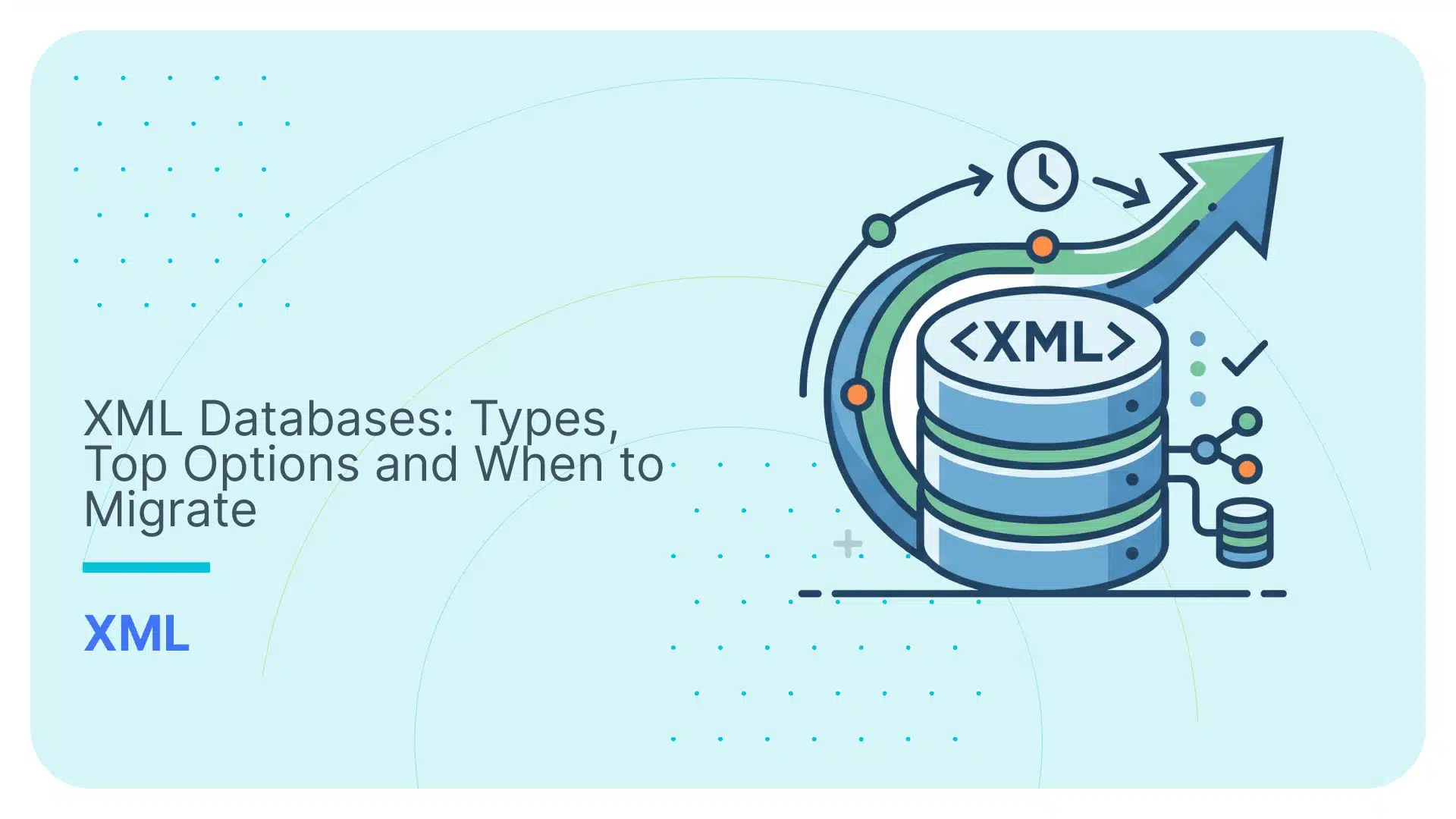
XML Databases: Types, Top Options and When to Migrate

XML databases were the right answer in 2005.
In 2026, they are the right answer only in very narrow cases.
XML still matters. ISO 20022, HL7, ACORD, FpML, DITA, and DocBook still sit inside banks, hospitals, insurers, publishers, and government systems.
But the question has changed. It’s not: “Can I store XML?”
Yes, you can.
The real question is:
“Should this stay in an XML database, or move into a relational database where the business can query, join, govern, and analyse it?”
That is where XML database projects start looking less like architecture and more like archaeology with a licence fee.
XML databases still fit when the document itself is the asset: hierarchy, order, namespaces, metadata, mixed content, and exact structure matter.
But that is a tiny corner.
This guide explains what XML databases are, how they work, where they still fit, which tools matter in 2026, and when to migrate instead.
And yes, we will cover the exit ramp.
When are XML databases suitable?
Use an XML database when the XML hierarchy carries meaning, and you need to preserve, validate, search, and round-trip the original document.
When should you not use an XML database?
Do not use an XML database when XML is only the delivery format and the business needs SQL tables, joins, dashboards, governance, or cloud analytics.
Summary box
An XML database is a data persistence system that stores and queries data in XML format using XQuery.
The two main types are native XML databases (XML-first) and XML-enabled databases (relational databases with XML support added).
Top options in 2026 include MarkLogic, eXist-db, and BaseX for native XML, and Oracle XML DB, IBM Db2, SQL Server, and PostgreSQL for XML-enabled.
In 2026, most new projects are better served by migrating XML data to a relational database; Flexter automates this conversion.
TL;DR for the data engineer in a hurry:
- XML databases preserve hierarchy; relational databases make data easier to query, join, govern, and analyse.
- The two main types are native XML databases and XML-enabled relational databases.
- XML databases still fit narrow workloads where XML structure must be preserved: publishing, legal, regulatory, and technical documentation, plus standards-heavy finance, healthcare, and insurance XML where validation, auditability, and round-tripping matter.
- They are poor final destinations for BI, reporting, dashboards, cloud analytics, and downstream SQL.
- MarkLogic, eXist-db, and BaseX are the main native options. Oracle XML DB, Db2 pureXML, SQL Server XML, and PostgreSQL XML are the relational-friendly options.
- Native XML databases are a bit like mainframes: they still run important enterprise workloads and are not going away overnight, but they are rarely the default choice for new projects.
- XML migration is not parsing. It is turning nested XML into tables, keys, relationships, mappings, and lineage.
- For serious migration, automation is the exit ramp. Flexter reads XML or XSD, generates the relational model, and loads the data into SQL tables.
Use Flexter to turn XML and JSON into Valuable Insights
- 100% Automation
- 0% Coding
What is an XML Database?
An XML database is a data persistence system that stores, queries, and retrieves data in XML format, preserving the hierarchical document structure that XML represents.
That last part is what matters for you and your application.
This is because XML stores data as a tree: parent elements, child elements, attributes, nested branches, and repeating groups.
If XML is converted into relational tables too early, you can lose the original document shape.

Sometimes that is fine. Sometimes it is exactly what you want.
But in some industries and use cases, the original document structure can be important for the business meaning.
You may need to store the XML, query it, validate it, and retrieve it later in the same structure.
That is called round-tripping: storing an XML document and getting it back without destroying its hierarchy.
An XML database gives you the tools to do that. It usually supports XML storage, XPath or XQuery-based querying, indexing, full-text search, schema validation, and transactional behaviour.
Pro tip
One more concept is worth knowing: namespaces.
XML namespaces prevent naming conflicts when one document combines elements from different XML vocabularies.
They are common in standards-heavy XML, and they matter because XPath and XQuery often need to reference namespace-qualified element names.
Is XML itself a database? No.
XML is a markup language and data format. It describes the data. It does not manage storage, indexing, transactions, users, queries, or recovery.
An XML database is a database management system that manages XML-formatted data.
Think of it like this:
Concept | What it is | What it does |
|---|---|---|
XML | Data format | Represents hierarchical data |
XSD | Schema/rulebook | Defines what valid XML looks like. |
XML database | DBMS | Stores, indexes, queries, and retrieves XML |
XQuery | Query language | Retrieves and transforms XML data |
XML namespace | Naming system | Prevents conflicts between XML elements from different vocabularies |
XML databases are not necessarily schemaless. Unlike many flexible-schema NoSQL systems, they may also validate documents against XSD
They can store flexible XML documents, but they can also validate documents against XSD when stricter rules are required.
XQuery is to XML databases what SQL is to relational databases.
SQL works naturally with rows and columns.
XQuery works naturally with paths, nodes, elements, and nested document structures.
The next section covers the two main categories of XML databases.
Pro tip
If your only goal is analytics, an XML database is definitely the wrong end state.
It preserves XML beautifully. That does not automatically make the data easy to join, aggregate, or feed into BI tools.
Document fidelity and analytics usability are not the same thing.
Types of XML Databases
There are two main types of XML databases that you should be aware of: native XML databases and XML-enabled databases.

Native XML Databases (NXD)
A native XML database is a database management system that uses XML as its primary data model, storing XML documents in their hierarchical structure without converting them to tabular format.
The database stores the document structure directly, including elements, attributes, text values, namespaces, and parent-child relationships.
That makes native XML databases useful when the original document shape matters.
For example, a legal document or a technical manual file may contain deeply nested sections, clauses, metadata, and references.
A native XML database can preserve that hierarchy and let you query it directly.
Native XML databases usually support XML-specific query languages such as XPath and XQuery.
They may also support XSD validation, full-text search, structural indexes, and ACID-compliant transactions.
Examples include MarkLogic, BaseX, and eXist-db.
XML-Enabled Databases
An XML-enabled database is a traditional relational database extended to store and query XML data alongside relational data, using a native XML data type, shredding, or CLOB storage.
Instead of being designed around XML from the start (as compared to NXD), it allows XML to be stored in a relational database.
This may happen through XML-specific column types, CLOB storage, or database-specific XML extensions.
XML-enabled databases can be useful when you already use a relational database but also need to store XML documents.
They give you a way to keep XML inside an existing database environment. However, they do not always handle complex XML structures as naturally as native XML databases.
Examples include SQL Server, Oracle, PostgreSQL, and DB2 with XML support.
And what about NoSQL databases?
XML databases are often discussed together with NoSQL databases.
That is because XML databases are a kind of document store. Instead of splitting every piece of data into rows and columns, they store and manage complete documents.
In that sense, native XML databases belong to the broader NoSQL family.
But NoSQL is not a separate type of XML database.
It is the wider category. XML databases are one document-oriented branch of that category, while JSON document databases, such as MongoDB, are another.
The difference is the data format and the use case.
MongoDB stores JSON-like documents and is widely used for application backends and operational data.
XML databases store XML documents and are better suited for document-centric data, especially when the structure, order, markup, metadata, and mixed content of the original document matter.
Main Differences and Takeaways
The main difference is the starting point:
- Relational databases are table-first.
- Native XML databases are XML-first.
- XML-enabled databases are SQL-first, with XML added on top.
- Native XML databases are often grouped with document-oriented NoSQL systems because they store and query documents rather than rows. However, many XML databases predate the modern NoSQL movement and often provide stronger support for schema, validation, transactions, and XML standards.
- Graph databases are relationship-first.
Here’s a table that sums it up for you:
Database Type | Starts with | Best for | Typical XML storage approach |
|---|---|---|---|
Relational databases | Tables, rows, and columns | Structured data, reporting, joins, and analytics | |
Native XML database | XML Documents | Preserving, validating, and querying complex XML structures | XML is stored as a native document/tree, usually with path, value, structural, and full-text indexes. |
XML-enabled database | A relational database with XML support | Storing XML inside an existing SQL database | XML is stored in XML-specific columns or CLOB/text fields. |
NoSQL document database | Documents | Managing document-style data, usually JSON or XML | Documents are usually stored as JSON/BSON; XML may be stored as text or document data, depending on the system. |
Graph databases | Nodes and relationships | Highly connected data, relationship traversal, networks, recommendations, fraud detection, and knowledge graphs. | XML is usually transformed into nodes and relationships, or stored as text when the XML itself is not the main query target. |
How Do XML Databases Work?
XML databases work by treating an XML document as a tree of smaller parts, called nodes.
A node is one identifiable part of the XML structure: an element, an attribute, or a text value.
For example:
|
1 2 3 4 |
<customer id="123"> <name>Anna</name> <country>Germany</country> </customer> |
Here, customer, name, and country are element nodes. id="123" is an attribute node. Anna and Germany are text value nodes.
That is what the database stores: the XML structure, not just the text.
That is the main difference.
A relational database starts with tables. An XML database starts with the XML tree.
In an XML database, XML documents are usually grouped into collections or containers.
You can think of these as logical folders inside the database: one collection might hold customer XML files, another might hold invoices, and another might hold product catalogue documents.
The system keeps the document hierarchy intact and lets you query it directly.
Next, I’ll explain what this process looks like in more detail. But first, here’s a sneak peek:

Step 1: XML documents are loaded
The process starts when XML documents are loaded into the database.
In a native XML database, the database stores the XML document as a document.
In an XML-enabled database, the XML may be stored inside a relational database using XML-specific columns, CLOB storage, or XML extensions.
Step 2: The database parses the XML into nodes
After loading, the database parses the XML into nodes.
A node is one identifiable part of the XML document. It can be an element, an attribute, or a text value.
For example, take this simple XML document:
|
1 2 3 4 |
<customer id="123"> <name>Anna</name> <country>Germany</country> </customer> |
The database can break this into nodes:
- customer is an element node.
- id=”123″ is an attribute node.
- name and country are child element nodes.
- Anna and Germany are text value nodes.
- customer is the parent of the name and country.
This is what allows the database to understand the XML structure rather than treating the XML as one large text file.
Step 3: XSD can be used to define the schema
An XML database can store flexible XML documents and validate them against an XSD.
An XSD defines what constitutes valid XML. It can define the allowed elements, attributes, data types, required fields, and nesting rules.
So XML databases are not simply schemaless.
They can support flexible document storage, but they can also enforce structure when the application, industry, or compliance process requires it.
Pro tip
If you’re interested in finding out how to create your relational database schema based on your XSD, then you definitely want to check out my guide on that topic:
On the other hand, if you have a bunch of XML and need to derive the XSD, this is still possible, and you may want to read my other guide on that topic:
Step 4: Indexes are created
To make XML queries faster, the database creates indexes.
These can include structural indexes, path indexes, value indexes, and full-text indexes.
Structural and path indexes help the database find elements and attributes inside the XML tree.
Value indexes help it find specific values.
Full-text indexes help it search inside document content.
This matters because XML documents can be deeply nested. Without indexes, querying large XML collections would be slow.
Step 5: Users query the XML with XPath or XQuery
Querying in XML databases is usually done with XQuery.
XQuery is the W3C-standard query language for XML databases, functioning as SQL does for relational databases: it retrieves, transforms, and manipulates XML data using path expressions and FLWOR syntax.
XPath is more focused. It navigates through the XML tree and selects nodes.
XSLT is another option and is a bit different. It transforms XML from one structure into another.
A simple XQuery might look like this:
|
1 2 3 4 5 6 |
for $c in collection("customers")/customer where $c/address/country = "Germany" return <customer> {$c/id} {$c/name} </customer> |
That query does not think in rows. It thinks in paths.
However, you do not always have to use XQuery when working with XML data.
As discussed in the next section, XML-enabled databases often store XML within relational database systems, for example, using CLOB storage or XML-specific column types.
Such databases may also allow XML data to be accessed through SQL/XML functions or database-specific XML extensions.
Step 6: The database returns XML documents, fragments, or values
After the query runs, the database can return complete XML documents, XML fragments, transformed documents, or extracted values.
That is why XML databases are useful when you need to preserve the original document but still query specific parts of it.
For example, you might need to search only inside a certain section of a legal contract, retrieve a specific part of a technical manual, or validate healthcare data against a required XML schema.
XML Database Use Cases and Industries
Before looking at specific XML database use cases, it helps to separate two very different reasons why organisations use XML:
- Data-centric XML: XML is primarily used to transfer structured business data between systems, such as customers, orders, invoices, product catalogues, and transaction records. In these cases, the XML format may be temporary. Once the data is received, it can often be transformed into relational tables.
- Document-centric XML: XML is used to represent documents where structure is part of the meaning. The order of sections, nested clauses, attributes, metadata, annotations, references, and mixed content can all matter. In these cases, the XML is not just a delivery format; it is the authoritative shape of the information.
Most strong XML database use cases involve either document-centric XML or standards-heavy XML where structure, validation, auditability, and round-tripping matter.
They appear in industries where organisations need to preserve, validate, search, query, and round-trip complex XML documents without losing their original structure.

Finance and banking
If you work with financial XML, you should treat the XML standard as part of the data model, not just as a file format.
Banks, payment processors, asset managers, and market infrastructure providers still deal with XML every day. Think of ISO 20022 payment messages, FpML for derivatives, and XBRL for financial reporting.
This is exactly where XML databases can make sense.
You may need to store the original message, validate it, search within specific sections, and later retrieve the exact XML for audit, compliance, or reconciliation.
If the structure of the message matters, converting it to a table can introduce some challenges to your project.
On the other side of things, I would not use an XML database as the final analytics layer, though.
If your real goal is to join payment data with customer data, run SQL analytics, feed Power BI, or load a cloud warehouse, you should convert the XML into relational tables instead.
Pro tip
If you work with ISO 20022 XML, do not confuse message validation with database readiness.
A valid pain, pacs, or camt message tells you the XML follows the standard.
It does not mean your analysts can query payments, parties, accounts, references, and statuses in SQL.
I have covered this problem in more detail in my ISO 20022 XML to relational database guide.
Healthcare and clinical data
If you work in healthcare, you already know the problem: the data is structured, regulated, messy, and full of context.
XML still appears in healthcare through HL7 v3, CDA, FHIR XML, and XML encodings or transformations around HL7 v2 messages.
You should consider an XML database when the original healthcare document needs to be preserved, validated, searched, and retrieved without losing its hierarchy.
A lab result, prescription, or patient message is not always just a flat record. The surrounding structure tells you what the value means.
So, you should be careful in this case, since preserving the initial XML structure carries meaning here as well.
If the goal is reporting, dashboards, population analytics, or integration with a modern data platform, XML storage alone will not get you there. You will probably need to convert the XML into a relational or analytics-ready model.
Government, legal, and regulatory documents
Government and legal XML is a strong fit for XML databases because the structure is often part of the meaning.
A law, regulation, court decision, filing, or contract is not just a blob of text.
It may contain chapters, sections, clauses, subclauses, definitions, annotations, amendments, effective dates, and cross-references.
You should care about that structure.
Searching for a word inside a definition section is not the same as finding it anywhere in the document.
Searching inside an indemnity clause is not the same as searching the whole contract.
This is where XML databases are useful. They let you search text and structure together.
I would use an XML database here when the document itself is the asset.
If you only need extracted fields for reporting or downstream applications, you should convert the XML into a more query-friendly model.
Insurance
Insurance XML is usually not simple.
If you work with ACORD XML, you may be dealing with policies, claims, endorsements, customers, coverages, limits, exclusions, brokers, reinsurers, and third-party platforms. That structure gets deep quickly.
You should consider an XML database when you need to preserve the original ACORD message, validate it, search within policy or claims sections, and retrieve the original document later.
That said, I would not leave insurance data trapped in XML if the business needs analytics.
Claims teams, underwriting teams, finance teams, and customer teams usually need SQL-accessible data.
If the XML is mainly a delivery format, you should convert it into relational tables once it has been validated and understood.
Publishing, media, and technical documentation
Publishing and technical documentation are classic use cases for XML databases.
If your content lives in DocBook, DITA, NewsML, or aviation maintenance formats, you are probably not just storing text.
You are managing structured content with sections, warnings, notes, tables, metadata, reusable topics, and cross-references.
You should use an XML database when the XML hierarchy is part of the product.
For example, you may need to search only inside warnings, retrieve a reusable topic, publish the same source content to HTML and PDF, or manage different versions of a technical manual.
This is one of the few areas where I would still seriously consider a native XML database. The workload is document-first, not table-first.
Enterprise integration and B2B data exchange
XML is still everywhere in enterprise integration.
You see it in SOAP web services, EDI-style workflows, partner feeds, regulatory submissions, B2B exchange, and legacy system integration.
In these cases, XML often acts as the contract between systems: One system sends a structured message. Another system validates it, processes it, stores it, and may need to retrieve the exact original message later.
You should consider an XML database when you need a searchable archive of XML messages, especially if you need validation, traceability, and structural search.
But if XML is only the envelope, do not overbuild around it.
If your business users want dashboards, SQL queries, joins, or cloud analytics, you should move the useful data out of XML and into a relational or analytics platform.
The common pattern behind these use cases
There is a simple rule that holds across all these use cases:
You should use an XML database when the XML structure carries meaning.
That usually means you need to:
- preserve the original XML hierarchy;
- validate documents against XSD or industry schemas;
- search both text and structure;
- retrieve complete documents or specific XML fragments;
- manage metadata, references, namespaces, and mixed content;
- support audit, compliance, or regulatory workflows;
- round-trip XML without damaging the original document shape.
That said, this is a narrow scenario.
For most practical purposes in 2026, native XML databases are legacy technology.
They still make sense in existing enterprise systems where XML document fidelity, XQuery, and round-tripping are central requirements. But they are rarely the right default for new projects.
Even when XML carries important structure, many organisations now store XML in relational platforms with XML support, or migrate it into relational models for analytics, reporting, and cloud integration.
When not to use an XML Database
Do not choose an XML database just because the format your data comes in is XML.
You should be especially careful with XML databases when:
- The data consists mostly of structured records, such as customers, orders, invoices, products, and transactions.
- The business needs frequent joins across many entities.
- The main use cases are BI, reporting, and large-scale aggregation.
- Your team lacks expertise in XPath, XQuery, XML Schema, or XML indexing.
- The original XML hierarchy does not need to be preserved.
- Downstream systems expect SQL tables, JSON APIs, or analytics-ready data.
Best XML Databases in 2026
The best XML database in 2026 depends on your workload.
If you need a heavy-duty enterprise XML platform, MarkLogic is the name you will hear first.
If you want open source native XML, look at eXist-db or BaseX.
If you already run Oracle, Db2, SQL Server, or PostgreSQL, you may not need a separate XML database at all.
That last point matters.
I would not start by asking, “What is the best XML database?”
I would start by asking:
Do you really need an XML database, or do you need to get XML data into a database your business can actually use?
Here is the practical comparison:
XML database | Type | Licence | Query support | Best for |
|---|---|---|---|---|
MarkLogic | Native XML + multi-model | Commercial | XQuery 1.0 / XQuery 1.0-ml extensions | Enterprise content management, search, semantics |
eXist-db | Native XML | Open source | XQuery 3.1 support | Document repositories, digital humanities, libraries |
BaseX | Native XML | Open source | XQuery 3.1 | Developers, research, lightweight XML workloads |
Oracle XML DB | XML-enabled relational database | Commercial | XQuery 1.0 / SQL/XML | Organisations already using Oracle |
IBM Db2 pureXML | XML-enabled relational database | Commercial | XQuery 1.0 / XPath 2.0 data model | Hybrid relational and XML enterprise workloads |
Microsoft SQL Server | XML-enabled relational database | Commercial | Subset of XQuery 1.0 | Microsoft-stack enterprises |
PostgreSQL XML | XML-enabled relational database | Open source | XPath 1.0 only | Basic XML storage alongside relational data |
Sedna | Native XML | Free/open source | XQuery | Legacy, academic or research use |
Pro tip
If you are using one of these XML databases and need to migrate the data into a relational database or cloud warehouse, this is exactly where Flexter fits.
Flexter reads your XML or XSD, generates an optimised relational schema, and loads the data into platforms such as Oracle, SQL Server, Snowflake, Databricks, PostgreSQL, BigQuery, and Redshift.
You can take a deeper look at Flexter’s full specification page.
MarkLogic
MarkLogic is one of the best-known enterprise platforms for XML-heavy, search-heavy, multi-model workloads.
It is the strongest option when you need XML, JSON, search, semantics, and enterprise-grade content management on a single platform.
I would look at MarkLogic if you already have a serious XML estate and need scale, security, and operational maturity.
The downside is obvious: it is commercial, specialist, and not where I would start for a new greenfield project in 2026.
eXist-db
eXist-db is an open-source native XML database built for storing, querying, and publishing XML documents.
It is a strong fit for digital libraries, document repositories, government archives, and publishing-style workloads where XQuery matters.
If you and your team are comfortable with XML-native development, eXist-db offers a robust XML platform without commercial licensing.
I would not use it as a general-purpose business database or analytics backend.
BaseX
BaseX is an open-source native XML database that is well-suited to developers, research teams, and lightweight XML applications.
It is fast, compact, and strong on XQuery. If you want to experiment with XML databases, build an XML-focused tool, or run structured document queries without buying an enterprise platform, BaseX is a good place to start.
I would be careful using it as the core platform for large enterprise reporting or BI workloads.
Oracle XML DB
Oracle XML DB is an XML-enabled database for organisations that already run Oracle.
This is the sensible route when XML is only one part of your database estate. You can keep relational data in Oracle and store XML using XMLType rather than introducing a separate native XML database.
I would consider Oracle XML DB when your team already knows Oracle and your XML workloads need to live close to SQL, transactions, and existing enterprise data.
The tradeoff? It is still Oracle, with Oracle cost and complexity.
IBM Db2 pureXML
IBM Db2 pureXML is an XML-enabled database designed for hybrid XML and relational workloads.
It is useful when you want to store XML natively inside Db2 while still working in a relational database environment.
That can make sense for large enterprises with existing Db2 infrastructure and XML-heavy workloads in finance, insurance, government, or integration.
I would not pick Db2 pureXML unless Db2 is already part of your architecture.
Microsoft SQL Server XML
Microsoft SQL Server supports XML through its XML data type and XML query capabilities.
This is the practical option if your organisation already runs on the Microsoft stack and needs to store XML alongside relational data.
You can keep using SQL Server, SQL tooling, and Microsoft ecosystem skills.
I would use this for moderate XML workloads.
I would not use it for deeply document-centric XML repositories where a native XML database is the better fit.
Pro tip
Are you working with SQL Server, and the XML data type isn’t enough for your project?
Check out my other resource on automating XML parsing and conversion in SQL Server.
PostgreSQL XML
PostgreSQL has XML support, but you should treat it as basic XML handling, not as a full XML database platform.
It can store XML and run some XPath-style operations, which may be enough if XML is occasional or secondary.
PostgreSQL makes sense when the real database is relational, and XML is only one format you need to ingest or keep.
I would not choose PostgreSQL if XQuery-heavy XML processing is the core workload.
Pro tip
If you move XML data into PostgreSQL, do not stop at the migration.
Once the data is in relational tables, you should also understand how people query it: which tables they touch, which columns they filter on, which joins they use, and which data feeds downstream reports.
I have covered this in my PostgreSQL SQL parsing guide, where I show how query logs can be parsed for table and column audit logging.
That matters after XML migration because the goal is not just to store the data differently. The goal is to make it queryable, governable, and useful.
Sedna
Sedna is a native XML database that now mostly falls into the legacy and research categories.
It is worth mentioning because it appears in older XML database lists, but I would not recommend it for a new project.
If you already have Sedna somewhere in your environment, the question is not how to expand it. The question is how to migrate away from it safely.
Are XML Databases Still Relevant? The Legacy Question
XML databases are still used in legacy enterprise deployments in financial services, healthcare, and government. New greenfield projects rarely choose them.
JSON and NoSQL have replaced XML in web applications, and cloud data warehouses lack XQuery support.
That makes native XML databases a niche technology, not a growth technology.
Still, the niche is real. If you already run a native XML database, you probably have a reason. Maybe you store ISO 20022, HL7, ACORD, XBRL, LegalDocML, DITA, or DocBook.
Maybe you need validation, namespaces, mixed content, or XQuery-based search.
But that does not mean you should start a new project on a native XML database in 2026.
XML databases made sense when XML was everywhere.
Enterprise integration was XML-heavy. SOAP was common. Financial, healthcare, insurance, and government standards were XML-first.
If you had complex hierarchical documents, a native XML database often was the right answer.
That world has moved on.
So what replaced XML databases?
Usually one of three things:
- Relational databases for structured business data, joins, reporting, and BI.
- JSON document databases for modern application data and flexible document-style records.
- Cloud warehouses and lakehouses for analytics, dashboards, and large-scale processing.
That does not make XML irrelevant. It makes XML specialised.
You should keep using an XML database when the XML document itself is the asset.
That means the hierarchy, order, metadata, namespaces, and mixed content carry business, legal, technical, or regulatory meaning.
But if XML is only the container, I would not keep the data trapped there.
If your business users need SQL, dashboards, joins, data quality checks, governance, or cloud analytics, the XML database is probably not the final destination.
It could be the staging ground before migration.
Pro tip
Do not make this a format debate.
Make it a workload debate.
XML is strong when document structure matters. JSON is strong for application data. CSV is simple for exchange. Relational databases are the better target when you need joins, reporting, analytics, and governance.
I have covered this broader comparison in my CSV vs JSON vs XML guide.
The short verdict, you ask?
Native XML databases are still relevant for legacy and document-centric XML workloads.
But they are not where I would start for most new projects.
That brings us to the practical question:
How do you migrate from an XML database to a relational database without manually rebuilding hundreds of tables and mappings?
How to Migrate from an XML Database to a Relational one
Migrating from an XML database to a relational database means mapping XML elements, attributes, and nested structures to tables, columns, keys, and relationships.
That sounds straightforward. It’s not.
XML is hierarchical. Relational databases are tabular.
One thinks in trees. The other thinks in rows, columns, joins, and constraints.
That is the migration problem in one sentence.
If you have a small XML file with a customer, an address, and a few orders, you can probably map it by hand.
But enterprise XML does not usually look like that.
Think of ISO 20022, FpML, HL7, ACORD, FIXML, IRS XML, Duck Creek, or a custom XSD that has been extended for years.
You may have deeply nested elements, optional fields, repeating groups, attributes, namespaces, code lists, schema imports, and relationships that are obvious in XML but not yet expressed as relational keys.
You can’t just flatten the XML hierarchy into an OBT or come up with a simplistic database schema.
You need more than just storage. You need a proper and optimised relational model.
And as I’ll show you later on, you’ll also need an XML to database conversion approach.

Why migrate XML to a relational database?
The main reason is simple: your business probably does not want XPaths and XQuery.
It wants dashboards, joins, reporting, data quality checks, audit trails, cloud analytics, and integration with the rest of the data stack.
That is where relational databases, cloud warehouses, and lakehouses are much stronger than native XML databases.
The hard part: XML does not map cleanly to tables
The difficult part of XML migration is not reading the XML file. The difficult part is modelling it.
A complex XML schema does not usually map to a single table. It may become dozens or hundreds of related tables.
For example:
- Repeating XML elements may become child tables.
- XML attributes may become columns.
- Nested structures may become parent-child relationships.
- Optional elements may become nullable columns.
- Code lists may become lookup tables.
- Schema types may become reusable relational structures.
- The XML hierarchy may need to be converted into primary keys and foreign keys.
Do this manually, and you are not just “importing XML”.
You are designing a database.
For a complex industry schema that can easily become a 30- to 120-person-day project once you include schema design, mapping, ETL code, testing, data validation, and change handling.
And that assumes the schema does not change halfway through.
With that being said, there are four ways that you can approach an XML to a relational database migration project.
Some are fine for small XML. Some are bad ideas at enterprise scale.
Here they are.
Option 1: Manual schema design and ETL mapping
You inspect the XML or XSD, design the relational schema yourself, create the tables, define the primary and foreign keys, and then write the ETL logic by hand.
This gives you full control.
It also gives you all the pain.
Manual schema design can work when the XML is small, stable, and easy to understand. I would not use it for large standards such as ISO 20022, FpML, HL7, ACORD, or complex custom XSDs unless you have a lot of time and a very patient team.
The schema is only the first problem.
The ETL is the second.
You need to decide how each XML element, attribute, nested group, and repeating structure maps into relational tables.
You will also need to write the extraction logic, handle namespaces, generate keys, preserve parent-child relationships, load child tables in the right order, and deal with missing or optional fields.
That is where manual XML migration becomes extremely fragile.
A single repeating XML group may need its own table. A nested structure may need a foreign key. An attribute may need to become a column. A code list may need to be converted into a lookup table.
If the XML schema changes, your ETL code needs to change as well.
These are the high-level steps to achieve the conversion:

The risk is not only cost. The risk is inconsistency.
Two developers can look at the same XML schema and produce two different relational models. They can also write two different ETL pipelines for the same data.
That becomes a problem when you need repeatability, governance, auditability, and long-term maintenance.
Pro tip
Interested in a full guide on Manual vs. Automated XML Mapping?
I’ve got you covered:
Option 2: Custom scripts
You can write Python, Java, SQL, or Spark code to parse the XML and flatten it into tables.
This is tempting.
The first script usually looks easy. Then the edge cases arrive.
Namespaces. Optional elements. Repeating groups. Mixed content. Schema changes. Large files. Multiple message types. Slightly different XML from different source systems.
Before long, your script is no longer a script.
It is a home-grown XML conversion framework.
I would only use custom scripts when the XML structure is simple and unlikely to change.
Pro tip
Interested in checking out a manual vs. automated XML conversion approach to Spark and Databricks?
Then take a look at my other resource:
In practice, custom scripts still follow the same steps as Option 1: analyse the XML, design the target tables, map elements and attributes, preserve relationships, load the data, and validate the result.
The difference is in the ETL step (Step 4): instead of configuring or using an ETL process, you now have to build the parsing, transformation, loading, error handling, and validation logic yourself in code.
Option 3: Native database import tools
Some databases give you XML import features, XML data types, or XML query functions.
This can help if you mainly want to store XML inside a relational database.
But be careful.
Storing XML in a column is not the same as converting XML into a relational model.
If your goal is SQL analytics, reporting, joins, governance, and BI, then a raw XML column will not get you very far.
You may have moved the XML into a relational database, but the useful data is still trapped inside the XML structure.
That is not migration. That is relocation.
Importing XML into a database is not the same as making it usable.
Your downstream users still need queryable tables, clean relationships, documented fields, and data structures that work with BI tools, dashboards, and analytics workflows.
Option 4: Automated XML-to-relational conversion
This is the route I would use for serious XML migration.
An automated XML conversion tool reads your XML or XSD, understands the hierarchy, generates an optimised relational schema, and loads the data into your target database.
That removes the most painful part of the work: manually designing tables and mappings.
Flexter reads XML or XSD directly, analyses the structure, applies schema optimisation, creates the relational model, and loads the data into platforms such as:
- Oracle;
- SQL Server;
- PostgreSQL;
- MySQL;
- Snowflake;
- BigQuery;
- Databricks;
- Azure Fabric;
- Redshift.
That is the difference between treating XML migration as a manual modelling project and treating it as an automated conversion problem.
The practical migration flow with Flexter
At a high level, the migration process looks like this:
- Step 1: Input the XML, XSD, or sample files: Start with the source XML, the XSD schema, or representative XML samples. If you have the XSD, use it. If you do not, Flexter can infer the structure from sample XML.
- Step 2: Optimise the schema: Flexter analyses the XML structure and applies optimisation algorithms such as elevation and reuse. This is where the nested XML hierarchy is turned into a cleaner relational design.
- Step 3: Generate the output: Flexter produces the database artefacts you need, including DDL, mappings, lineage, and an ER model. This gives you a documented relational structure before the data is loaded.
- Step 4: Load to the database: The converted data is loaded into your SQL database, cloud warehouse, or lakehouse.
That is the clean version.
The messy version is doing all of this by hand.

And don’t forget that all these steps I show here are automated; you just need to point Flexter to your source files via the CLI, and voilà!
Pro tip
If you do not have an XSD, do not panic.
You can still derive a schema from sample XML files and use that as the starting point for conversion.
I have covered that workflow in my XML to XSD guide.
A practical proof point
Aer Lingus reduced an XML migration project from 120 man-days to 1 day using Flexter.
That is the point.
The win is not just faster loading.
The win is avoiding weeks of manual schema design, hand-coded ETL, and fragile one-off mappings.
What’s the takeaway?
You can manually migrate XML to a relational database.
For small XML, that may be fine. For enterprise XML, I would not do it.
If your XML database contains complex, nested, regulated, or standards-based data, automate the migration. Keep the original XML where auditability is required.
Move the useful data into SQL where the business can query, join, govern, and analyse it.
That is the real exit ramp.
Still not convinced yet?
If you want to see an XML to database conversion in real time in front of your own eyes, then I would suggest that you try Flexter Online.
Drag and drop your XML or XSD, let Flexter analyse the structure, and watch it generate a relational model auto-magically.
You will even get credentials to your own online Snowflake database instance, where you’ll see your own source XML and XSD as relational tables.
That is usually the moment when the migration problem becomes very clear.
Frequently Asked Questions (FAQ)
An XML database is a database system that stores, queries, and retrieves data in XML format while preserving the original document hierarchy.
That hierarchy is the point.
Instead of forcing XML into rows and columns immediately, an XML database keeps the document structure intact.
No. XML is a data format, not a database.
It describes structured information, but it does not store, index, query, validate, secure, or recover data by itself. An XML database is the DBMS that manages XML-formatted data.
There are two main types: native XML databases and XML-enabled databases.
Native XML databases are XML-first. XML-enabled databases are relational databases with XML support added through XML data types, CLOB storage, shredding, XPath, XQuery, or SQL/XML extensions.
A native XML database starts with the XML document.
An XML-enabled database starts with relational tables and adds XML support. Native XML databases are better for document-centric XML. XML-enabled databases are better when XML is only one format inside a broader SQL environment.
A native XML database is a document-oriented NoSQL database because it stores documents rather than rows.
But it is not the same as MongoDB. MongoDB is JSON/BSON-first. XML databases are XML-first, with stronger support for XPath, XQuery, XSD, namespaces, and document round-tripping.
XQuery is used to query, filter, join, and transform XML data. SQL thinks in tables.
XQuery thinks in paths, nodes, elements, attributes, and document structure. That makes it useful when the XML hierarchy carries meaning, and you need more than a text search.
The best XML database in 2026 depends on the workload. MarkLogic is the strongest enterprise option.
eXist-db and BaseX are the main open-source native XML databases. Oracle XML DB and IBM Db2 pureXML make sense if you already run those platforms.
Yes, but mostly in legacy, document-centric, and standards-heavy enterprise systems.
You still see XML databases in finance, healthcare, insurance, publishing, government, and legal environments. They survive where standards such as ISO 20022, HL7, ACORD, XBRL, FpML, LegalDocML, DITA, and DocBook still matter.
Do not use an XML database just because your data arrives as XML. If the business needs SQL joins, dashboards, reporting, governance, cloud analytics, or BI tools, an XML database is probably the wrong final destination. Convert the useful data into relational tables.
You migrate XML to a relational database by mapping elements, attributes, repeating groups, and nested structures into tables, columns, keys, relationships, and lineage.
The hard part is not reading XML. The hard part is modelling it properly. For serious migrations, automate it with Flexter.
There are three main options: (1) CLOB storage, which stores the XML as plain text with limited queryability; (2) Shredding, which breaks the data inside XML into relational tables based on the target schema and the XPath; (3) Native XML data type (Oracle XMLType, SQL Server XML column, PostgreSQL XML), which supports XQuery and XPath queries.
For automated conversion of any XML source to a relational database or cloud warehouse, Flexter handles schema generation and data loading.
Pro tip
Complex XML is rarely a tooling question first.
It is a modelling question: XSD, nesting, target database, reporting needs, and how much manual mapping you want to avoid.
If you want to sanity-check your XML database or migration scenario, book a demo with us.
We’ll help you work out whether to keep XML native, use XML support in a relational database, or migrate the data properly.
Uli Bethke
Uli has been rocking the data world since 2001. As the Co-founder of Sonra, the data liberation company, he’s on a mission to set data free. Uli doesn’t just talk the talk—he writes the books, leads the communities, and takes the stage as a conference speaker.
Any questions or comments for Uli? Connect with him on LinkedIn.
Follow Uli Bethke: